
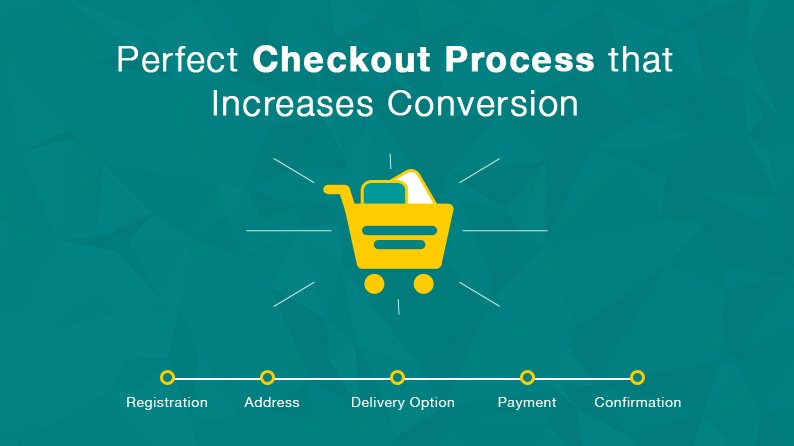
Imagine investing heavily in paid advertising, social media, SEO, and product photography, only to lose customers at the final step. Your marketing may successfully bring shoppers to your website and encourage them to add products to their carts, but a complicated checkout can prevent them from completing the purchase.
Research referenced in the source material places average shopping cart abandonment at around 70%. In practical terms, many visitors who show strong purchase intent still leave without completing their transaction. This makes checkout optimization an important opportunity for ecommerce businesses: improving the final stage of the buying journey can help recover sales without requiring additional traffic.
The main issue is often checkout friction. Unexpected charges, forced account creation, lengthy forms, limited payment methods, weak trust signals, and poor mobile usability can make customers hesitate at exactly the moment they are ready to buy. By simplifying the checkout experience, businesses can reduce unnecessary obstacles, improve conversion opportunities, and create a smoother online shopping journey.
1. Understanding Why Customers Abandon Their Carts
A customer who reaches the checkout page has already shown a high level of interest. At this stage, however, the customer’s mindset can shift from product excitement to evaluating risk, cost, convenience, and trust.
Several common friction points can cause shoppers to reconsider their purchase:
- Unexpected shipping costs, service charges, or taxes can create price shock when the final amount is higher than expected.
- Mandatory account creation adds another step when customers simply want to complete their order.
- Long or unnecessary forms create additional effort, especially for people shopping on mobile devices.
- Limited payment options can prevent customers from using the payment method they prefer.
- An outdated or poorly designed checkout can raise concerns about payment security and the reliability of the business.
These issues may appear small individually, but together they can create enough friction for a customer to abandon the purchase.
2. Simplify the Checkout Process
One of the most effective ways to improve ecommerce conversion is to make checkout as simple as possible. Customers should not have to complete unnecessary steps or provide information that is not essential to processing their order.
A guest checkout option is particularly useful for first-time visitors. Instead of forcing shoppers to create an account before purchasing, businesses can allow them to complete the order with basic information such as an email address. After the purchase, customers can be invited to create an account so they can save order history and other details.
Reducing form fields can also make checkout faster. Ask only for information that is genuinely required. Features such as address auto-complete and automatic location information can further reduce typing and minimize errors.
3. Make Pricing Clear Before the Final Payment
Unexpected costs are one of the biggest sources of checkout frustration. Customers should know what they are expected to pay before reaching the final payment step.
Whenever possible, show shipping charges, estimated taxes, and other applicable fees early in the buying process. A clear order summary can help customers understand exactly how the total has been calculated.
- Product subtotal
- Estimated shipping
- Applicable taxes and fees
- Final total
Transparency helps reduce surprises and gives customers greater confidence that there will not be unexpected charges at the end of the transaction.
4. Offer Convenient Payment Options
Customers have different payment preferences, particularly when shopping from mobile devices. Limiting checkout to basic card entry can create unnecessary barriers.
Depending on the market and ecommerce platform, businesses can consider options such as digital wallets and express payment methods, including Apple Pay, Google Pay, Shop Pay, and PayPal Express. Flexible payment options can make it easier for customers to complete purchases using a method they already trust.
The objective is not to add every possible payment method. Instead, businesses should identify the options their customers are most likely to use and make those choices easy to access.
5. Optimize the Checkout for Mobile Users
Mobile shoppers face a particular challenge during checkout because entering addresses and card information on a small touchscreen can be time-consuming. A checkout that works well on desktop may still feel difficult on a smartphone.
Mobile checkout should therefore use clear layouts, readable text, touch-friendly controls, and appropriately configured input fields. Numeric fields such as card numbers, phone numbers, and postal codes should trigger suitable mobile keyboards where possible.
Express digital wallets can further reduce the amount of manual information a customer needs to enter. A well-optimized mobile checkout should make the final purchase action easy to find and complete.
6. Build Trust at the Point of Purchase
Customers need to feel confident before entering personal and payment information. Trust is particularly important at checkout because this is where customers are making a financial commitment.
A professional and consistent checkout design can reinforce credibility. Businesses should also make relevant security information, return policies, and other important reassurance points easy to find.
An outdated design, unclear policies, or a lack of visible security information can create doubt. On the other hand, clear branding, transparent policies, and appropriate security indicators can help customers feel more comfortable completing their purchase.
7. Make the Checkout Flow Easy to Follow
Traditional multi-step checkout processes can require customers to move through separate screens for shipping, billing, order review, and payment. Every additional transition can create another opportunity for a shopper to leave.
A single-page or well-designed accordion-style checkout can reduce this friction by keeping important order information accessible in one organized flow. Customers should always understand where they are, what information is required, and what happens next.
The most important goal is clarity. The checkout process should feel predictable rather than complicated.
8. Recover Customers Who Abandon Their Carts
Even an optimized checkout will not prevent every abandonment. Customers can become distracted, lose their internet connection, change their minds, or simply need more time before completing a purchase.
Automated abandoned-cart recovery can help businesses reconnect with these high-intent visitors. A simple sequence can begin with a helpful reminder shortly after abandonment, followed by social proof or product information, and then a time-sensitive incentive where appropriate.
Email is one recovery channel, while SMS can provide another way to reach customers who have opted in. Exit-intent messages can also offer shoppers an opportunity to save their cart or return to checkout.
9. Use Post-Purchase Opportunities to Increase Customer Value
The customer journey does not necessarily end when payment is completed. A well-designed thank-you page can create opportunities for relevant post-purchase offers, such as complementary products or extended services.
When these offers are designed carefully, they can increase average order value without adding friction to the original checkout. Clear order confirmation and useful delivery updates can also contribute to a stronger post-purchase experience and encourage future purchases.
10. Measure Checkout Performance
Checkout optimization should be guided by data rather than assumptions. Ecommerce businesses can monitor several key metrics to understand whether changes are improving performance.
- Checkout conversion rate: the percentage of checkout sessions that result in completed transactions.
- Cart abandonment rate: the percentage of shopping carts that do not result in completed purchases.
- Average order value (AOV): total revenue divided by the number of orders.
Analytics, heatmaps, and session recordings can help identify where customers are dropping off. Once a problem is identified, businesses can test different layouts, calls to action, form structures, payment options, and trust elements.
A Practical Checkout Optimization Plan
Businesses can approach checkout improvement in stages rather than attempting to change everything at once.
- Audit the current checkout using analytics and user-behavior data to identify the biggest friction points.
- Implement quick wins such as guest checkout, express payment options, and removal of unnecessary fields.
- Improve the technical experience through address auto-complete, responsive layouts, and transparent fee calculations.
- Continue testing different checkout elements and monitor the effect on conversion, abandonment, and average order value.
Conclusion: Turn Checkout Into a Growth Opportunity
A better checkout experience is about more than creating a visually attractive payment page. It is about removing unnecessary obstacles between purchase intent and completed transaction.
When customers can understand the total cost, choose a convenient payment method, complete forms quickly, trust the security of the process, and navigate checkout easily on mobile devices, the path to purchase becomes much smoother.
Reducing friction at checkout can help businesses make better use of the traffic they are already generating. Instead of continually spending more to attract new visitors, improving the final stage of the customer journey can help recover opportunities that might otherwise be lost. At Pixels Studio, we help businesses create user-friendly digital experiences designed around usability, performance, and business goals. From ecommerce website design and checkout optimization to mobile UX improvements and conversion-focused solutions, a well-planned digital experience can make it easier for visitors to become customers.